
How to Use AI Tools for Design: A Complete Beginner’s Guide

Artificial intelligence is changing the way people create graphics, edit photos, design websites, and develop marketing materials. Whether you are a beginner, freelance designer, content creator, or business owner, learning how to use AI tools for design can help you turn creative ideas into professional-looking visuals faster and more efficiently.
AI design tools can generate images from text prompts, remove unwanted backgrounds, suggest color palettes, create social media graphics, and improve existing designs. You no longer need advanced graphic design skills to get started. However, understanding how these tools work, choosing the right software, and learning to refine AI-generated results are essential for achieving high-quality outcomes.
In this guide for Imagenish.com, you will learn how to use AI design tools step by step, explore popular tools and their features, discover practical design workflows, and avoid common mistakes. By the end, you will have a clear process for using artificial intelligence to improve your creative work.
What Are AI Design Tools?
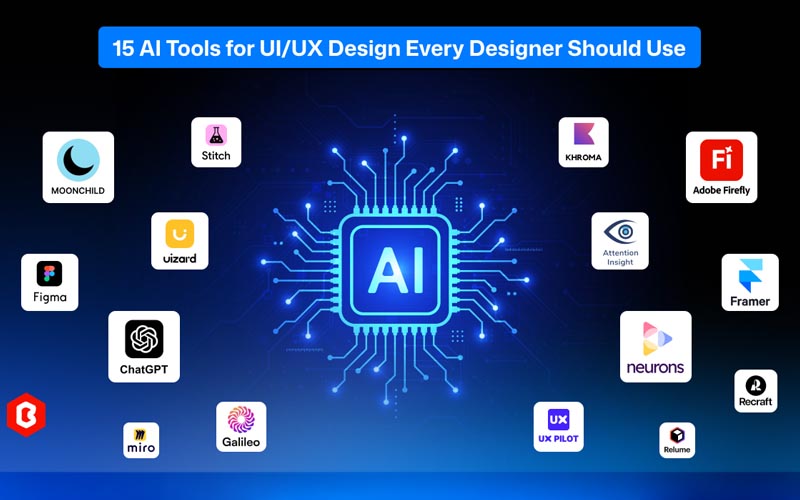
AI design tools are software applications that use artificial intelligence to help users create, edit, and improve visual content. They can automate repetitive tasks, generate design concepts, and assist with creative decisions.
Traditional graphic design often requires manually adjusting images, selecting colors, creating layouts, and editing individual elements. AI-powered design software can simplify many of these activities, allowing designers to spend more time on creativity and less time on repetitive work.
Common applications include:
- AI image generation: Create images from written descriptions.
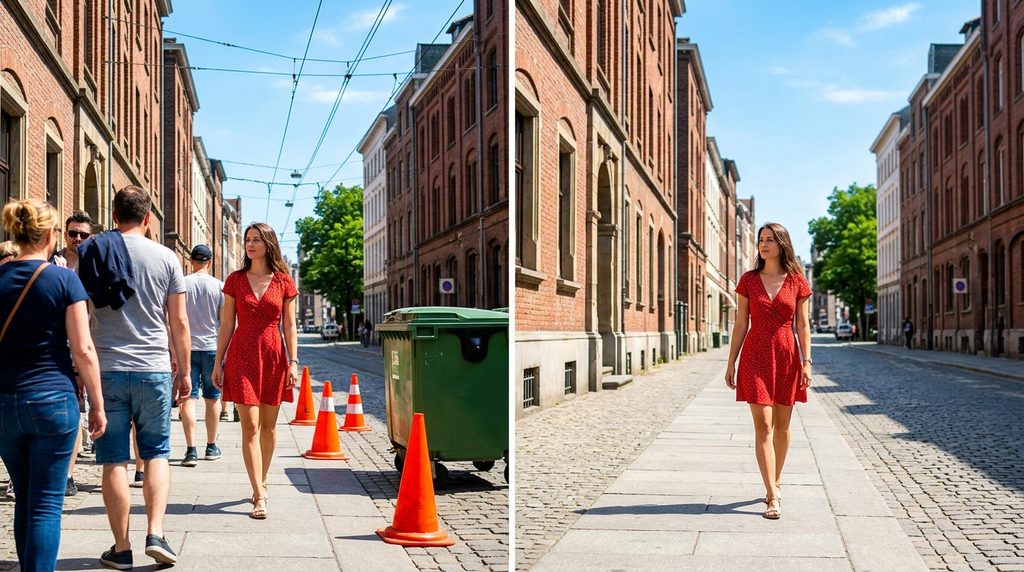
- AI photo editing: Improve images, adjust lighting, and remove unwanted objects.
- Background removal: Separate a subject from its background automatically.
- Graphic design: Create posters, banners, presentations, and social media posts.
- Logo and branding concepts: Explore visual directions for a business identity.
- Website design: Generate layouts, illustrations, and visual assets.
- Product photography: Create backgrounds and promotional compositions for online stores.
For example, an online clothing store can use AI to remove the background from product photos, create consistent promotional graphics, and prepare images for its website.
AI tools are most effective when you combine their automation capabilities with human judgment, design principles, and a clear understanding of your audience.
Benefits of Using AI Tools for Graphic Design

AI-powered design software offers several advantages for beginners and experienced professionals.
1. Save Time on Repetitive Tasks
Tasks such as removing backgrounds, resizing images, generating variations, and cleaning up photographs can take considerable time when performed manually.
AI tools can automate many of these steps. A designer preparing ten social media graphics, for example, can generate initial concepts quickly and then refine the strongest options.
2. Create Designs Without Advanced Skills
Beginners can create attractive visual content without mastering every feature of professional design software.
Many tools offer templates, text-to-image generation, automatic layouts, and guided editing features. These options make it easier to experiment with different styles.
However, basic knowledge of typography, spacing, contrast, and composition will still help you produce more professional results.
3. Generate Creative Ideas
AI can help when you are struggling to develop a concept. You can describe your project and request multiple visual directions.
For example, a designer creating a coffee shop advertisement might explore minimalist, vintage, modern, and colorful design styles before choosing one to develop further.
4. Reduce Design Production Costs
Some AI design platforms offer free plans or affordable subscriptions. These can help individuals and small businesses produce visual content without outsourcing every task.
The actual savings depend on your project requirements, subscription costs, editing time, and the quality of the final output.
5. Produce Multiple Design Variations
AI tools can generate several versions of a design using different colors, backgrounds, layouts, or artistic styles.
This is useful for advertising campaigns, product promotions, website graphics, and social media content testing.
The important point is to use AI-generated variations as starting points rather than assuming that every result is ready for publication.
Best AI Tools for Design in 2026
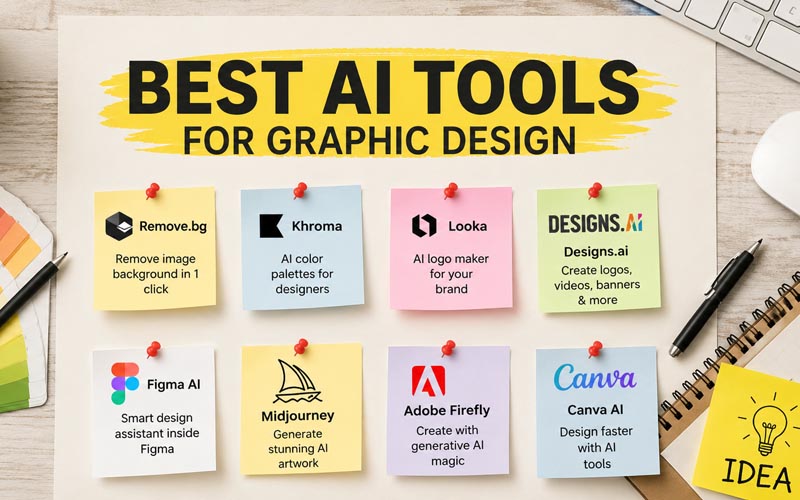
Choosing the right tool depends on your project, experience level, budget, and preferred workflow.
The following platforms offer different approaches to AI-assisted design. Features, pricing, and usage limits can change, so check each provider’s current terms before subscribing.
| AI design tool | Best use | Suitable for |
| Canva | Social media graphics, presentations, marketing materials | Beginners and marketers |
| Adobe Photoshop | Advanced photo editing, compositing, image refinement | Professional designers and photo editors |
| Adobe Firefly | AI image generation and creative editing | Designers and content creators |
| ChatGPT image generation | Creating and refining visual concepts through prompts | Beginners and creative teams |
| Midjourney | Artistic images and concept exploration | Digital artists and creative professionals |
| Figma AI features | Interface design and design workflow assistance | UI/UX designers |
| Remove.bg | Automatic background removal | E-commerce sellers and photo editors |
Canva for Everyday Graphic Design
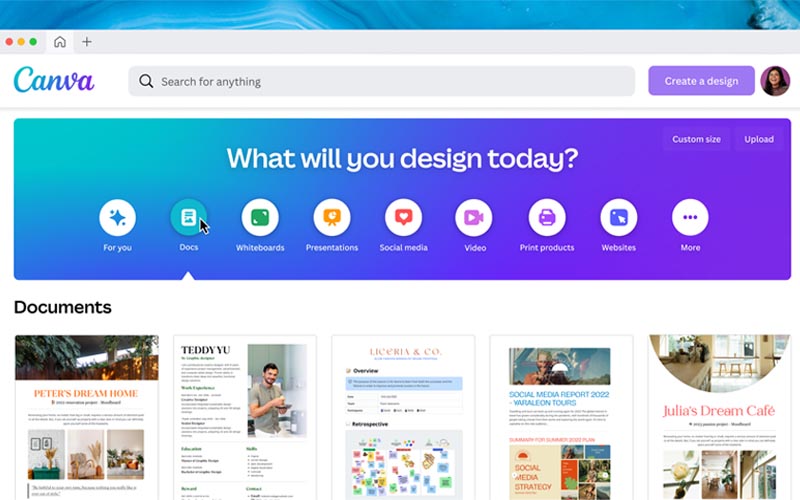
Canva is useful for creating social media posts, thumbnails, flyers, presentations, and promotional banners.
Its template-based workflow makes it accessible to people with limited design experience. Depending on the available plan and current features, users may also access AI-powered content creation and editing tools.
Practical tip: Start with a template that matches your required dimensions. Replace its text, images, and colors with your own content instead of filling a design with unrelated decorative elements.
Adobe Photoshop for Professional Photo Editing
Photoshop is widely used for image retouching, compositing, product photography, and detailed graphic editing.
Its AI-assisted features can help with tasks such as selecting subjects, removing distractions, expanding compositions, and generating or modifying image elements. Availability varies by version and subscription.
Practical tip: Keep important edits on separate layers whenever possible. This makes it easier to correct mistakes without rebuilding the entire image.
Adobe Firefly for AI Image Generation
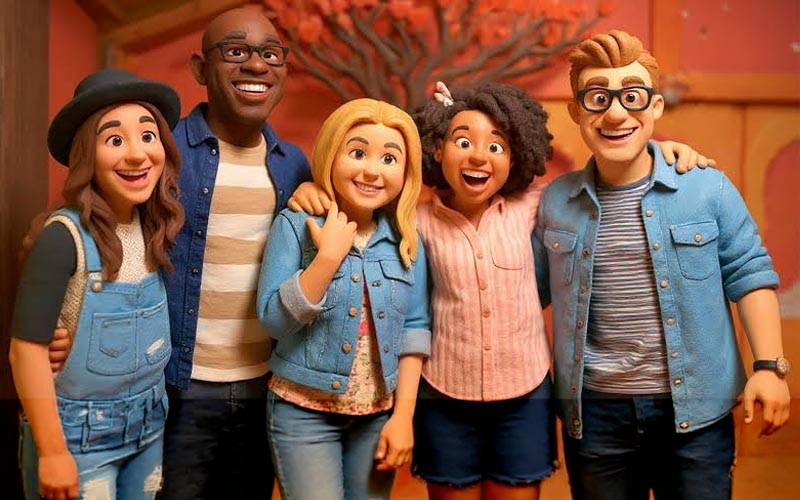
Adobe Firefly supports creative workflows involving generated images and image editing. It can help designers explore concepts, create visual assets, and develop compositions from text descriptions.
Before using generated assets commercially, review the applicable terms, usage restrictions, and any relevant requirements for your workflow.
ChatGPT for Design Ideas and Visual Concepts
ChatGPT can help you develop image-generation prompts, explore creative directions, write text for promotional graphics, and refine visual concepts through conversation.
For example, you can describe a product, target audience, preferred color palette, and image dimensions to develop a more specific creative brief.
Practical tip: Describe the subject, composition, lighting, mood, and intended use rather than relying on a short prompt such as “make a beautiful design.”
How to Use AI Tools for Design Step by Step
Learning how to use AI design software becomes easier when you follow a repeatable process.
Step 1: Define Your Design Goal
Before opening an AI tool, identify what you want to create.
Ask yourself:
- What type of design do I need?
- Who is the target audience?
- Where will the design appear?
- What message should it communicate?
- What dimensions and file format are required?
For example, a Facebook advertisement for a photography service needs a different layout from a website banner or an Instagram Story.
A clear goal helps you choose the appropriate tool and avoid wasting time on irrelevant design variations.
Step 2: Choose the Right AI Design Tool
Select software based on the task rather than choosing a platform simply because it is popular.
Use an image generator when you need an original visual concept. Choose a photo editor when you need precise adjustments to an existing image. Use a template-based design platform when you need to combine text, images, and branding elements quickly.
If you are a beginner, start with one accessible tool and learn its main features before adding more software to your workflow.
Step 3: Write a Detailed AI Design Prompt
A prompt is the instruction you provide to an AI system. Clear instructions generally produce more relevant results than vague descriptions.
A useful design prompt should include:
- Subject: What should appear in the image?
- Style: Should it look realistic, minimalist, editorial, or illustrated?
- Composition: Where should the subject and other elements appear?
- Lighting: Should the scene have soft studio lighting, dramatic shadows, or natural daylight?
- Colors: Which colors should dominate?
- Purpose: Is the image for an advertisement, website, poster, or social media post?
- Technical requirements: What aspect ratio, orientation, or space for text is needed?
Example AI design prompt:
“Create a professional promotional image for a premium skincare brand. Show a glass serum bottle on a clean cream-colored surface with soft natural window lighting, subtle shadows, elegant neutral colors, and a minimalist luxury aesthetic. Position the product slightly to the right, leaving clear negative space on the left for advertising text. Use a vertical composition suitable for Instagram marketing.”
This prompt communicates the subject, lighting, color palette, composition, and intended use.
Step 4: Generate Multiple Design Options
Avoid accepting the first result automatically. Generate several variations when the tool allows it.
Compare the results based on:
- Visual clarity
- Composition and balance
- Relevance to your target audience
- Brand consistency
- Image quality
- Suitability for the intended platform
Choose the strongest result and refine it rather than spending time improving every variation.
Step 5: Edit and Refine the Output
AI-generated designs may contain distorted details, inconsistent shadows, unrealistic textures, or awkward compositions.
Review the image at its intended display size and correct visible problems using an image editor.
Common refinements include:
- Removing unwanted objects.
- Correcting colors and exposure.
- Improving subject edges.
- Adjusting image cropping.
- Adding suitable typography.
- Aligning design elements.
- Checking the consistency of shadows and lighting.
For product photography, pay particular attention to labels, logos, packaging details, and product proportions. AI-generated alterations can unintentionally change important product information.
Step 6: Add Typography and Branding
A visually appealing image is not necessarily an effective advertisement. Your design must communicate its message clearly.
Use readable fonts, consistent colors, and a clear visual hierarchy. Make the main headline noticeable without allowing it to overwhelm the image.
For business designs, include brand elements such as:
- Logo
- Brand colors
- Consistent typography
- Website or contact information, where appropriate
- A clear call to action
If an image generator struggles to render accurate text, generate the visual background first and add the final wording separately in a design editor.
Step 7: Export and Optimize Your Design
Export your final design according to its intended use.
| Use case | Recommended approach |
| Website images | Use appropriately sized WebP, JPEG, or PNG files |
| Social media graphics | Match the platform’s current recommended dimensions |
| Transparent product images | Use PNG or another format that supports transparency |
| Print materials | Follow the printer’s resolution, color, and bleed requirements |
| Editable design projects | Preserve the original project file and layers when available |
Before publishing, check image sharpness, spelling, alignment, file size, and color consistency.
For website use, compress images where appropriate to improve loading speed without noticeably reducing visual quality.
Practical Ways to Use AI for Different Design Projects
AI design tools are useful across several creative industries. The best workflow depends on the final result you need.
AI Design for Social Media Marketing
Content creators and small businesses can use AI to develop promotional graphics, post backgrounds, campaign concepts, and video thumbnails.
For better results:
- Create a consistent visual style across posts.
- Keep headlines short and readable.
- Use images that relate directly to the message.
- Check the design on a mobile screen.
- Create variations for testing different concepts.
For example, a digital marketing agency could create three visual concepts for a service promotion, then compare which one communicates the offer most clearly.
AI Photo Editing and Background Removal
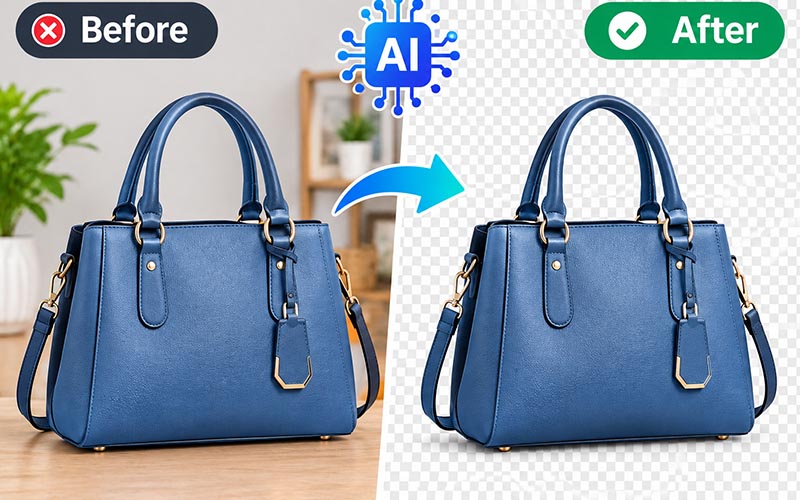
Photo editors can use AI to separate subjects from backgrounds, remove distractions, and prepare images for catalogs or advertisements.
A practical workflow is:
- Upload a high-quality original image.
- Remove the background using an AI-powered tool.
- Inspect hair, transparent objects, and difficult edges.
- Correct imperfections manually.
- Place the subject on a suitable background.
- Match the lighting and shadows.
- Export the image in the required format.
This approach is especially useful for e-commerce products, clothing images, portraits, and commercial photography.
AI Design for Websites
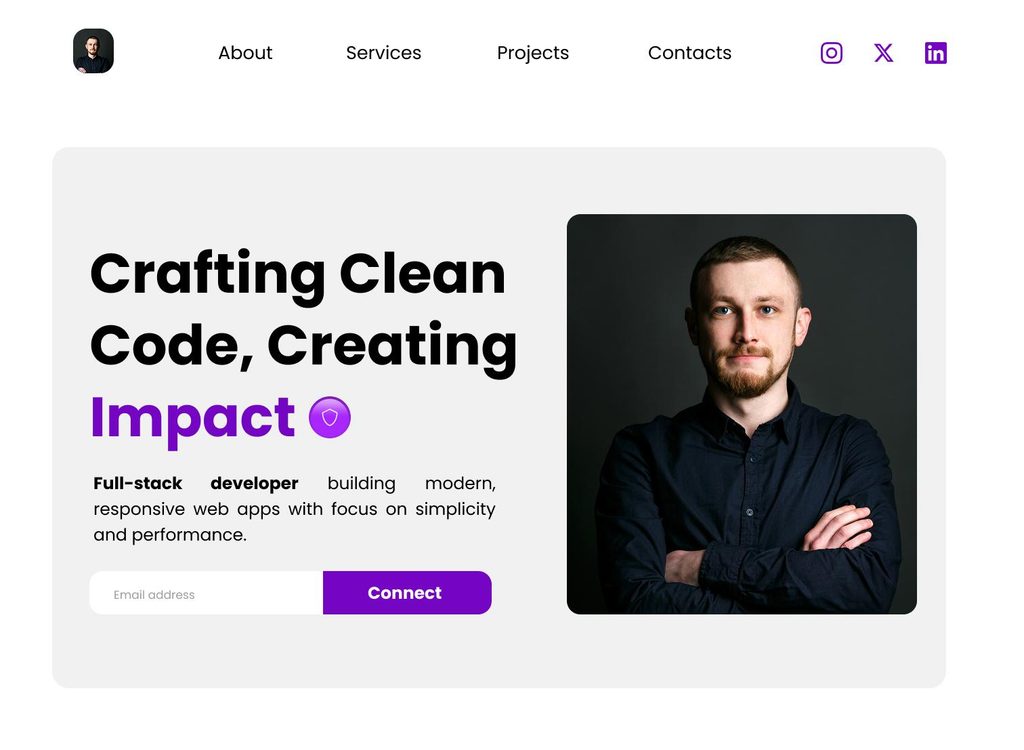
Website designers can use AI to brainstorm layouts, develop illustrations, create supporting graphics, and explore visual styles.
AI can also assist with generating interface concepts, but the final design should be checked for accessibility, responsive behavior, readability, and usability.
For example, a landing page for a photography service might combine an AI-generated hero image with a human-designed layout, clear service descriptions, and a prominent booking button.
AI Design for Branding and Logos
AI can help explore logo concepts, brand colors, typography combinations, and visual identities.
However, generated logo concepts should be treated as preliminary ideas. Before using a logo commercially, verify originality, check for similarities to existing brands, and ensure that the final artwork is suitable for trademark and production requirements.
For a professional brand identity, vector-based artwork and carefully controlled typography are often important.
Common Mistakes to Avoid When Using AI Design Tools
AI can accelerate creative work, but careless use may produce weak or misleading results.
Relying on the First Generated Image
The first result may not match your brief or intended audience. Generate alternatives, compare them, and refine the strongest option.
Using Vague Prompts
Instructions such as “make a professional poster” leave too much room for interpretation. Include the subject, audience, visual style, colors, composition, and intended platform.
Ignoring Basic Design Principles
AI does not automatically guarantee good typography, balanced layouts, readable text, or effective visual hierarchy. Review these elements before publishing.
Publishing Without Quality Checks
Always inspect generated images for distorted hands, inconsistent product details, misspelled text, strange edges, and visual artifacts.
Ignoring Copyright and Commercial Usage Terms
AI-generated content is not automatically free of legal or licensing concerns. Check the tool’s terms, the rights associated with input images, and any applicable restrictions before using assets commercially.
Do not upload confidential client photographs or sensitive business materials unless the platform’s privacy and data-handling practices are appropriate for that use.
Overusing AI-Generated Visuals
A design can look generic if it relies entirely on default templates or common AI styles. Add original photography, brand-specific details, custom typography, and human creative direction to make your work distinctive.
Best Practices for Professional AI-Assisted Design
To achieve consistently strong results, treat AI as a creative assistant rather than a replacement for your design process.
Start with a clear brief. Document the purpose, audience, message, style, and technical requirements before generating anything.
Develop a reusable prompt library. Save prompts that produce reliable results and adapt them for future projects. Record which changes improve the output.
Use human review at every important stage. Check accuracy, accessibility, brand consistency, and visual quality before delivery.
Keep original files. Preserve source photographs, editable layers, and project files so you can revise the design later.
Measure results when possible. For marketing graphics, evaluate meaningful indicators such as click-through rate, conversions, and audience engagement instead of judging success only by appearance.
Learn design fundamentals. Understanding contrast, spacing, typography, color theory, and composition makes it easier to recognize and correct AI-generated weaknesses.
Review privacy and licensing requirements. Make sure the tool is suitable for your clients, your intended use, and the assets you upload.
Is AI Design Suitable for Beginners?
Yes. AI design tools can be an accessible starting point for people who have never used professional graphic design software.
Beginners can start with template-based tools, simple image generators, or automatic background removers. These applications help users learn how visual content is created without requiring extensive technical knowledge.
A practical learning plan is:
- Week 1: Explore one design tool and learn its basic interface.
- Week 2: Practice writing prompts and generating different visual styles.
- Week 3: Learn image editing, typography, color selection, and layout refinement.
- Week 4: Complete three small projects, such as a social media post, a product image, and a promotional banner.
By completing practical projects, you can develop a portfolio that demonstrates both your creative judgment and your ability to use AI tools effectively.
Experienced designers can use the same tools to accelerate concept development, automate repetitive tasks, and explore alternatives while retaining control over the final result.
Frequently Asked Questions About AI Design Tools
1. How do I use AI tools for design?
Start by identifying your design goal, selecting a suitable AI design tool, and writing a detailed prompt or choosing an appropriate template. Generate several options, refine the best result, add branding, and export the final design in the correct format.
Always review the output for quality, accuracy, and licensing requirements before publishing it.
2. What is the best free AI design tool for beginners?
Canva is a useful starting point for beginners who want to create social media posts, presentations, posters, and marketing graphics. Other tools may be better for specific tasks, such as image generation or background removal.
Free features and usage limits vary by provider, so compare current plans before choosing a platform.
3. Can AI create professional graphic designs?
Yes. AI can help create professional-looking images, advertisements, product visuals, presentations, and design concepts. The quality depends on the tool, prompt, source material, and editing process.
Human review remains important for accurate details, typography, branding, and effective communication.
4. Can I use AI-generated designs for commercial purposes?
Commercial use may be permitted, but it depends on the platform’s terms, the type of content, and applicable laws. Check the relevant licensing conditions and confirm that your source materials do not infringe third-party rights.
For important commercial projects, consider obtaining appropriate legal advice when ownership or intellectual property questions are uncertain.
5. How can I write better AI design prompts?
Describe the subject, style, composition, lighting, color palette, intended audience, and final use. Include technical requirements such as orientation or aspect ratio when relevant.
Instead of writing “create a product advertisement,” specify the product, background, lighting, placement, mood, and space required for text. Review the result and adjust individual prompt details to improve it.
6. Can AI replace graphic designers?
AI can automate certain tasks and support creative development, but it does not eliminate the need for design judgment, communication, originality, and quality control.
Professional designers contribute skills in brand strategy, user experience, visual hierarchy, client collaboration, and final production. Those abilities remain valuable when AI is part of the workflow.
7. How can I improve AI-generated images?
Use clearer prompts, generate multiple variations, and begin with high-quality source images when editing existing photographs. Refine the strongest result using appropriate image-editing software.
Pay special attention to image edges, lighting, proportions, typography, and small details. A final manual review can make the difference between an average result and a polished design.
Conclusion
Learning how to use AI tools for design can help you create visual content more efficiently, explore new creative ideas, and improve your graphic design workflow. From AI image generation and photo editing to background removal and social media graphics, these tools offer practical benefits for beginners, freelancers, businesses, and experienced designers.
The best results come from combining AI capabilities with clear instructions, strong design fundamentals, careful editing, and human judgment. Choose tools that fit your goals, experiment with detailed prompts, and review every design before publishing it.
At Imagenish.com, our goal is to help you understand practical design techniques and make better use of modern creative tools. Start with one AI design tool today, complete a small project, and keep refining your skills. With consistent practice, you can turn your ideas into more effective and professional visual content.