
Best Digital Planner Templates for Productivity in 2026

Staying organized in 2026 is less about filling a paper notebook and more about having a planning system that fits the way you actually work. The best digital planner templates for productivity in 2026 make it easier to manage tasks, appointments, goals, habits, projects, and personal priorities from one convenient place.
Whether you are a student managing assignments, a professional balancing meetings and deadlines, a freelancer handling multiple clients, or a busy parent organizing everyday responsibilities, a well-designed digital planner can reduce mental clutter and make your schedule easier to manage.
Unlike traditional planners, digital planners can be reused, customized, searched, duplicated, and accessed across compatible devices. The right template can also help you turn vague goals into specific actions.
But with hundreds of planner layouts available online, choosing the right one can be difficult. This guide explores the most useful digital planner templates for productivity in 2026, what each type is best for, how to choose one, and how to use it effectively without turning planning itself into another chore.
What Is a Digital Planner?
A digital planner is an electronic planning template designed to help you organize information such as schedules, tasks, goals, habits, notes, projects, and appointments.
Most digital planners are designed for use with tablets, smartphones, computers, or digital note-taking applications. Many can be used with a stylus, allowing you to write on the planner almost like a traditional notebook.
Common digital planner formats include:
- Daily planners
- Weekly planners
- Monthly planners
- Goal planners
- Habit trackers
- Student planners
- Business planners
- Project planners
- Budget planners
- Meal planners
- Fitness planners
The major advantage is flexibility. Instead of buying a new planner every year, you can often reuse a digital template and customize it around your changing needs.
Why Digital Planners Are Popular for Productivity in 2026
Digital planning has become increasingly useful as people manage work, education, personal projects, and online responsibilities from multiple devices.
A good digital planner can help you:
- Prioritize important tasks
- Plan your day and week
- Track long-term goals
- Monitor habits
- Organize projects
- Reduce missed deadlines
- Keep notes in one place
- Review your progress
- Create a more structured routine
However, productivity does not come from having the most complicated planner.
The best system is one you will actually use consistently.
For example, a freelancer managing five clients may benefit from a project dashboard and weekly planner, while a university student may need a class schedule, assignment tracker, exam calendar, and study planner.
Best Digital Planner Templates for Productivity in 2026
Different planning templates solve different problems. Instead of looking for one template that does everything, consider what you need to organize most.
1. Daily Digital Planner
A daily planner is ideal for people who need detailed control over their schedule.
A typical daily digital planner includes:
- Date and schedule
- Top priorities
- To-do list
- Time-blocking section
- Notes
- Appointments
- Habit tracking
- End-of-day reflection
Time blocking is particularly useful when your day contains several fixed commitments.
For example, you might reserve 9:00–10:00 for email, 10:00–12:00 for focused work, and 2:00–3:00 for meetings.
Best for: Professionals, freelancers, students, and people with busy schedules.
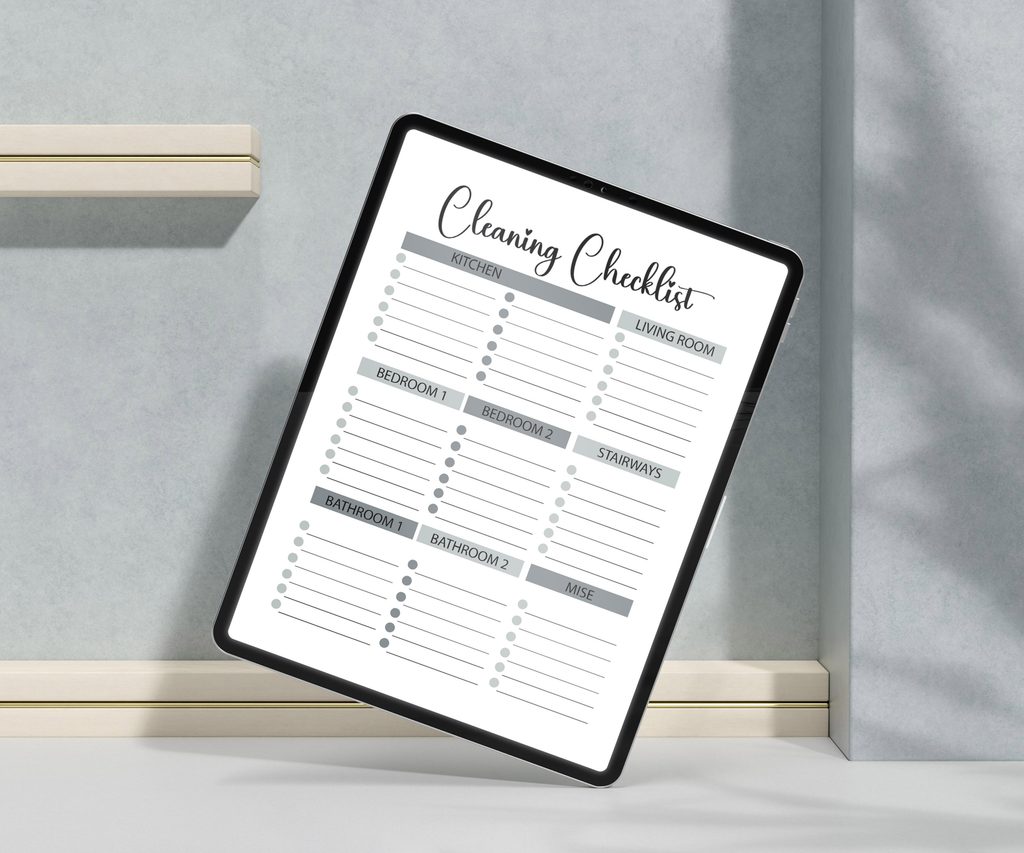
2. Weekly Digital Planner
A weekly planner provides a broader view without requiring you to plan every hour.
It is useful for answering a simple question: What actually needs to get done this week?
A practical weekly layout can include:
| Section | Purpose |
| Weekly goals | Define major outcomes |
| Priority tasks | Identify important work |
| Appointments | Track fixed commitments |
| To-do list | Capture smaller tasks |
| Habits | Monitor recurring behaviors |
| Notes | Store useful information |
| Weekly review | Evaluate progress |
Weekly planning is especially useful for people who find highly detailed daily planning restrictive.
3. Monthly Digital Planner
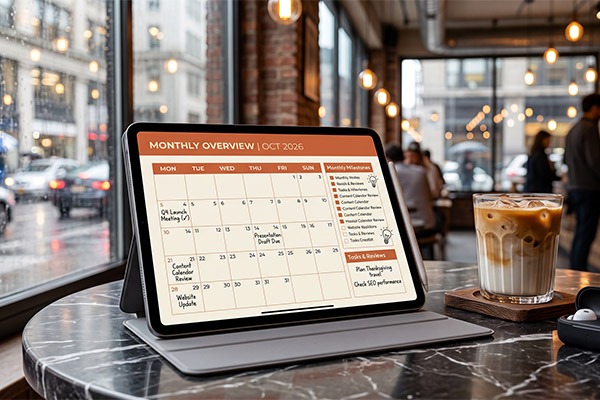
Monthly planners are excellent for long-term visibility.
They allow you to see deadlines, events, appointments, launches, exams, and personal commitments at a glance.
Use a monthly planner for:
- Project deadlines
- Birthdays and events
- Travel plans
- Content calendars
- Exams
- Business launches
- Monthly goals
A useful approach is to combine a monthly overview with a weekly planner. The monthly page gives you the big picture, while the weekly page handles execution.
4. Goal-Setting Planner
Goals often fail because they remain too vague.
A goal-setting digital planner can help transform an idea such as “get healthier” into measurable actions such as:
- Exercise three times per week
- Walk 8,000 steps per day
- Prepare meals on Sunday
- Track weekly progress
Look for templates containing:
- Annual goals
- Quarterly objectives
- Monthly milestones
- Action plans
- Progress trackers
- Reflection pages
Breaking large goals into smaller milestones makes progress easier to measure.
5. Digital Habit Tracker
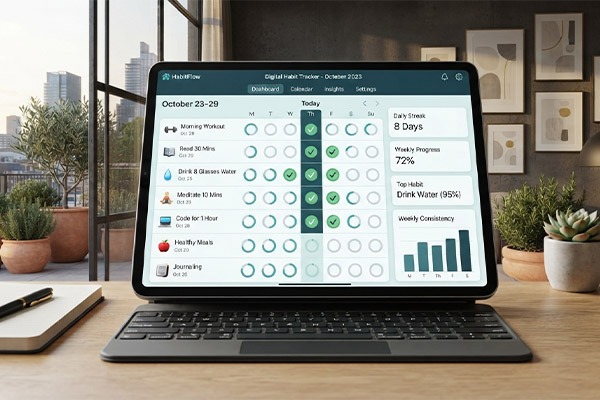
Habit trackers are designed to make recurring behaviors visible.
You can track habits such as:
- Reading
- Exercise
- Meditation
- Water intake
- Sleep routines
- Studying
- Journaling
- Screen-time reduction
A simple habit tracker is often more effective than a complicated one.
Choose a small number of meaningful habits rather than attempting to track 20 behaviors simultaneously.
6. Student Digital Planner
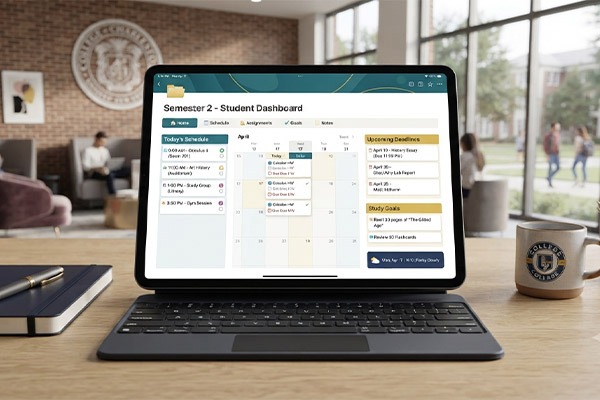
Students have unique organizational needs, making student planners one of the most practical digital planner categories.
A useful student planner may include:
- Class timetable
- Assignment tracker
- Exam schedule
- Study planner
- Reading list
- Project deadlines
- Grade tracker
- Notes
For example, a student can enter an exam date into the monthly calendar and then use weekly pages to schedule preparation sessions.
This creates a connection between the deadline and the daily actions required to meet it.
7. Digital Project Planner
Project planners are particularly useful for freelancers, entrepreneurs, marketers, designers, and remote teams.
A project planning template can include:
- Project objectives
- Task lists
- Deadlines
- Milestones
- Priority levels
- Client information
- Notes
- Progress tracking
For larger projects, divide work into phases.
For example:
Website project → Research → Content → Design → Development → Testing → Launch
This makes complicated projects easier to manage.
8. Content Planner
Content creators and marketers can benefit from specialized digital content planners.
A content planner can help organize:
- Blog posts
- Social media posts
- Videos
- Newsletters
- Publishing dates
- Keywords
- Content status
- Campaign ideas
Instead of deciding what to publish every morning, you can prepare content several weeks ahead.
This is particularly useful for businesses that rely on consistent content marketing.
9. Personal Finance Planner
Productivity is not only about completing tasks. Managing money efficiently can also reduce everyday stress.
A digital budget planner may contain:
- Monthly income
- Fixed expenses
- Variable expenses
- Savings goals
- Subscription tracking
- Debt payments
- Spending categories
A simple monthly financial review can help identify unnecessary expenses and keep financial goals visible.
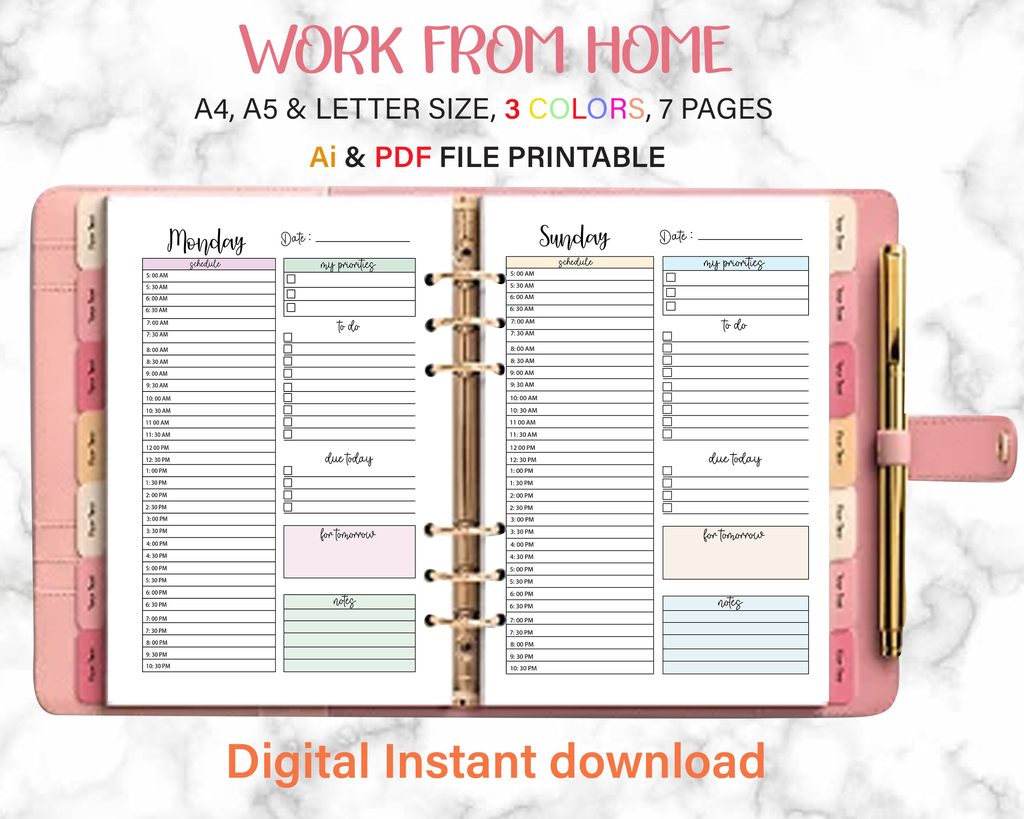
10. All-in-One Digital Planner
If you want one centralized planning system, an all-in-one digital planner may be suitable.
These planners typically combine:
- Daily planning
- Weekly planning
- Monthly calendars
- Goal setting
- Habit tracking
- Notes
- Project planning
- Budgeting
The advantage is convenience.
The disadvantage is that too many sections can become overwhelming.
If you rarely use certain pages, remove them or choose a simpler planner.
Digital Planner Comparison
| Planner Type | Best For | Main Benefit |
| Daily planner | Busy schedules | Detailed daily organization |
| Weekly planner | General productivity | Balanced overview |
| Monthly planner | Long-term planning | Big-picture visibility |
| Goal planner | Personal development | Goal tracking |
| Habit tracker | Routine building | Consistency monitoring |
| Student planner | Students | Academic organization |
| Project planner | Professionals | Project management |
| Content planner | Creators | Content scheduling |
| Finance planner | Budgeting | Money organization |
| All-in-one planner | Multiple needs | Centralized planning |
How to Choose the Best Digital Planner Template
The most attractive planner is not necessarily the most useful. Before choosing a template, consider your actual planning habits.
Identify Your Main Productivity Problem
Ask yourself:
What do I struggle with most?
If you frequently miss appointments, choose a calendar-focused planner.
If you have too many tasks, choose a priority-based daily planner.
If you struggle to maintain routines, consider a habit tracker.
If you manage complex work, choose a project planner.
Your planner should solve a specific problem rather than simply look attractive.
Consider Your Device
Check whether the planner works well with your preferred device and note-taking application.
Consider:
- Screen size
- Stylus compatibility
- File format
- Navigation
- Hyperlinks
- Writing experience
- Cloud synchronization
A template that looks excellent on a large tablet may be less convenient on a smartphone.
Look for Simple Navigation
A good digital planner should make information easy to find.
Useful features include:
- Hyperlinked tabs
- Calendar navigation
- Clearly labeled sections
- Search-friendly organization
- Consistent page layouts
Avoid templates where finding a specific page takes longer than writing down the task manually.
Choose Customization Over Decoration
A beautiful planner can be motivating, but productivity should remain the priority.
Look for templates that allow you to customize:
- Categories
- Colors
- Sections
- Goals
- Priorities
- Tracking systems
A clean layout often remains useful for longer than a heavily decorated design.
How to Use a Digital Planner for Maximum Productivity
Buying a planner is only the first step. Your planning routine determines whether it actually improves productivity.
Start With Your Bigger Goals
Begin by identifying your major goals for the year.
Then break them into:
Yearly goals → Quarterly objectives → Monthly targets → Weekly actions → Daily tasks
For example:
Goal: Launch an online business.
Monthly target: Publish the website.
Weekly action: Complete five website pages.
Daily task: Write one page of content.
The smaller the action, the easier it becomes to start.
Use the Priority Rule
Do not create a massive daily task list.
Instead, identify three important tasks.
A useful structure is:
- Must complete
- Should complete
- Nice to complete
This prevents low-value tasks from consuming the entire day.
Schedule Focused Work
Not every task deserves the same amount of attention.
Reserve uninterrupted time for demanding work such as:
- Writing
- Programming
- Studying
- Designing
- Research
- Strategic planning
Use shorter blocks for administrative work.
Review Your Planner Regularly
Set aside a few minutes at the end of each day to review your progress.
Ask:
- What did I complete?
- What remains unfinished?
- Why was it delayed?
- What should I prioritize tomorrow?
Then perform a longer weekly review.
This turns your planner into a feedback system rather than just a task list.
Common Digital Planning Mistakes to Avoid
Even a high-quality planner can become ineffective if you use it incorrectly.
Overplanning
Planning every minute of the day can create unnecessary pressure.
Leave some flexibility for unexpected work, delays, and rest.
Tracking Too Many Habits
Tracking everything can make the planner feel like another job.
Start with three to five important habits.
Creating Huge To-Do Lists
A list containing 30 tasks may look productive but can make priorities unclear.
Separate essential work from optional tasks.
Constantly Changing Templates
Searching for a “better” planner every few weeks can become procrastination.
Choose a practical template and use it consistently.
Making the Planner Too Complicated
More pages do not automatically mean more productivity.
If you only need a weekly calendar and task list, you may not need a 200-page productivity system.
Digital Planner vs. Paper Planner
Both formats can work well. The better choice depends on your preferences and workflow.
| Feature | Digital Planner | Paper Planner |
| Reusable | Often yes | Usually no |
| Customization | High | Limited |
| Search | Often available | Manual |
| Device required | Yes | No |
| Handwriting | Stylus-compatible options | Natural |
| Templates | Easy to duplicate | Manual |
| Portability | Excellent with device | Physical notebook |
| Editing | Easy | Limited |
| Cost over time | Potentially lower | Recurring |
Digital planning is particularly convenient for people who already spend much of their day using tablets or computers.
Expert Tips for Better Digital Planning in 2026
A few practical principles can make your planning system more effective.
Plan for Outcomes, Not Just Activities
Instead of writing “work on website,” define the result:
Complete homepage draft by 2 PM.
Specific outcomes make progress easier to measure.
Keep One Primary Planning System
Avoid spreading your schedule across multiple unrelated apps, notebooks, and calendars.
Where possible, keep your major commitments and tasks connected.
Use Weekly Reviews
Your weekly review is arguably more important than creating a perfect daily schedule.
Look at:
- Completed tasks
- Unfinished tasks
- Upcoming deadlines
- Personal goals
- Workload
- Priorities for the next week
Build a Planner That Fits Your Life
There is no universal productivity template.
A student, entrepreneur, designer, parent, and software developer may need completely different planning systems.
The best digital planner is ultimately the one that matches your responsibilities and is simple enough to use consistently.
Frequently Asked Questions
What is the best digital planner for productivity?
The best digital planner depends on your specific needs. Daily planners work well for detailed schedules, weekly planners provide a broader overview, while goal, habit, student, and project planners are designed for more specific requirements.
Are digital planners worth it in 2026?
Digital planners can be worthwhile if you regularly use a tablet, computer, or smartphone for organization. They offer features such as reusable templates, customization, digital handwriting, navigation, and easy editing.
What should a digital planner include?
A useful digital planner may include calendars, task lists, priorities, goals, notes, habit tracking, and review sections. Specialized planners may also include project management, budgeting, study schedules, or content calendars.
Can digital planners improve productivity?
A digital planner can support productivity by making priorities, deadlines, and goals easier to organize and review. However, the planner itself does not create productivity. Consistent planning and execution are what make the system useful.
What is the difference between a digital planner and a digital journal?
A digital planner is primarily designed for organization, scheduling, task management, and goal tracking. A digital journal generally focuses more on personal reflection, thoughts, experiences, and writing.
How do I use a digital planner effectively?
Start by identifying your most important goals and responsibilities. Break larger goals into smaller actions, prioritize a few important tasks each day, review your schedule regularly, and avoid adding unnecessary complexity.
Can I customize a digital planner template?
Many digital planner templates are designed to be customized. Depending on the format and application, you may be able to add pages, change layouts, write with a stylus, duplicate sections, and personalize your planning system.
Final Thoughts
The best digital planner templates for productivity in 2026 are not necessarily the most detailed or visually impressive. They are the ones that make your priorities clearer, reduce organizational friction, and fit naturally into your everyday routine.
Start by identifying what you actually need to manage. Choose a daily planner if your schedule requires detailed organization, a weekly planner for broader planning, a habit tracker for routines, or a project planner for complex work. If you need several features in one place, an all-in-one digital planner may be a practical option.
Most importantly, avoid turning planning into procrastination. A simple template that you use every day is more valuable than a sophisticated planner that you abandon after a week.
If you’re looking for practical, customizable digital products for organizing work, study, goals, and everyday life, explore the digital planner templates available at Imagenish.com and find a planning system that fits your routine.