
Best AI Tools for Graphic Designers and Creative Professionals

Artificial intelligence is changing the way creative work gets done. From generating concepts and editing images to creating presentations, videos, and marketing assets, AI can help designers work faster without replacing their creative judgment. The challenge is knowing which tools are genuinely useful.
The best AI tools for graphic designers and creative professionals can reduce repetitive work, speed up brainstorming, improve image quality, and help turn rough ideas into polished visuals. Whether you are a freelance designer, digital artist, marketer, photographer, or creative agency professional, the right AI tools can become valuable additions to your workflow.
This guide explores the most useful AI design tools available today, what they do best, and how to use them effectively without sacrificing originality or professional quality.
Why AI Tools Matter for Graphic Designers
AI is not a replacement for creativity. Instead, it works best as a creative assistant.
Graphic designers traditionally spend significant time on repetitive tasks such as background removal, image resizing, object cleanup, color adjustments, and creating multiple design variations. AI-powered design software can automate many of these tasks.
Some of the biggest benefits include:
- Faster brainstorming and concept development
- Automated image editing and retouching
- Quick background removal
- AI-generated illustrations and visual assets
- Faster social media content creation
- Improved typography and layout suggestions
- Video and animation assistance
- Easier resizing for multiple platforms
- Faster presentation and mockup creation
For example, a designer creating an advertising campaign might use AI to generate initial visual concepts, Photoshop to refine selected images, and Canva to quickly adapt the final design into multiple social media formats.
The key is to treat AI as part of your workflow rather than allowing it to control the entire creative process.
Adobe Firefly: Best for Professional Creative Workflows
Adobe Firefly is one of the most useful AI tools for graphic designers who already work with Adobe Creative Cloud applications.
It integrates AI-powered features into popular tools such as Photoshop and Illustrator, making it easier to use generative technology inside an established professional workflow.
What Adobe Firefly Can Help With
Adobe Firefly is particularly useful for:
- Generative image creation
- Generative fill
- Background replacement
- Object removal
- Text effects
- Image expansion
- Generative recoloring
- Concept visualization
One of its most practical features is generative fill. Imagine a photographer providing an image with unwanted empty space around a product. Instead of manually rebuilding the background, a designer can use generative AI to extend the scene.
Best Use Case
Adobe Firefly is ideal for:
- Professional graphic designers
- Photo editors
- Advertising agencies
- Branding professionals
- Creative teams already using Adobe software
Expert Tip
Do not accept AI-generated results immediately. Generate multiple variations and refine the best result manually. Professional design still requires human decisions regarding composition, typography, branding, and visual hierarchy.
Canva Magic Studio: Best for Fast Everyday Design
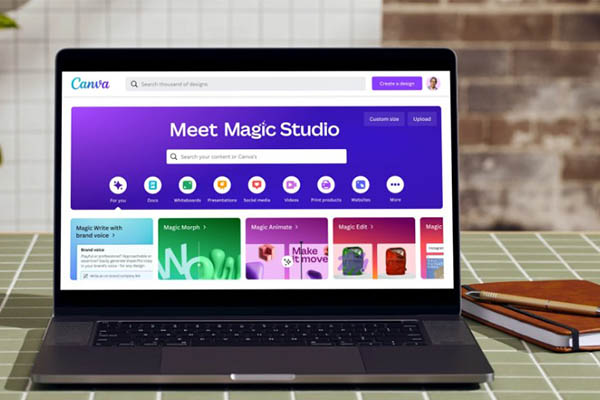
Canva has become one of the most accessible graphic design platforms for beginners, marketers, entrepreneurs, and social media creators.
Its AI-powered features make it possible to create professional-looking content quickly, even without advanced design experience.
Useful Canva AI Features
Canva’s AI tools can help with:
- AI image generation
- Background removal
- Magic editing
- Presentation creation
- Social media design
- Copy generation
- Automatic resizing
- Design suggestions
This makes Canva particularly valuable for creative professionals who regularly produce high volumes of marketing content.
For example, a small business owner can create a promotional Instagram post, resize it for Facebook and LinkedIn, and generate multiple visual variations without rebuilding every design from scratch.
Common Mistake to Avoid
A common mistake is relying entirely on templates. If every design follows the default template structure, your brand can start looking generic.
Customize:
- Fonts
- Colors
- Image selection
- Spacing
- Brand elements
AI should speed up the process, not eliminate your visual identity.
Midjourney: Best for Creative Image Concepts
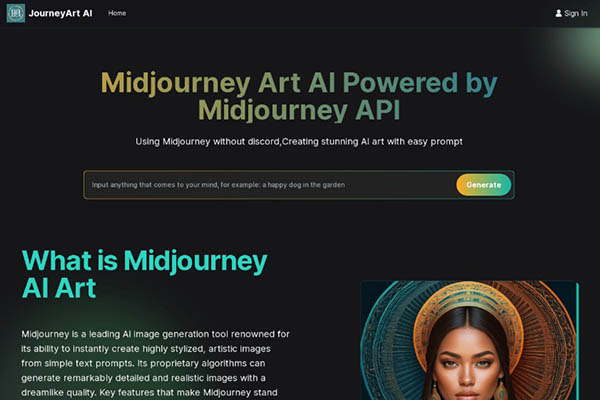
Midjourney is widely used for generating imaginative and visually striking artwork from text prompts.
For graphic designers, its greatest value is often during the concept development stage.
Instead of spending hours searching for stock images or manually creating mood boards, designers can use AI image generation to quickly visualize ideas.
Best Uses for Midjourney
Midjourney can be useful for:
- Concept art
- Poster inspiration
- Editorial illustrations
- Fantasy artwork
- Product visualization
- Mood boards
- Advertising concepts
- Character design
For example, a designer working on a travel campaign could generate several visual directions before choosing a style for the final artwork.
Important Professional Consideration
AI-generated images should not automatically become the final design. Check carefully for:
- Anatomical mistakes
- Strange objects
- Inconsistent text
- Unrealistic details
- Copyright and licensing concerns
Use AI-generated artwork as a creative starting point and apply professional editing before publishing commercial work.
ChatGPT: Best AI Assistant for Creative Thinking
Graphic design is not only about making images. Designers also need to develop concepts, write creative briefs, create campaign ideas, understand audiences, and communicate with clients.
This is where AI writing assistants can be extremely useful.
ChatGPT can help creative professionals with:
- Creative brainstorming
- Design brief development
- Campaign concepts
- Brand messaging ideas
- Content calendars
- Social media captions
- Naming ideas
- Mood board descriptions
- Presentation outlines

Example Workflow
Suppose you are designing a campaign for a sustainable fashion brand.
You could ask AI to help generate:
- Target audience profiles
- Campaign themes
- Visual style directions
- Tagline ideas
- Social media content concepts
You can then use these ideas as a starting point for your own creative direction.
The important point is that AI-generated ideas should be evaluated critically. The best creative work comes from combining AI-assisted research with human experience and originality.
Figma AI: Best for UI and Collaborative Design
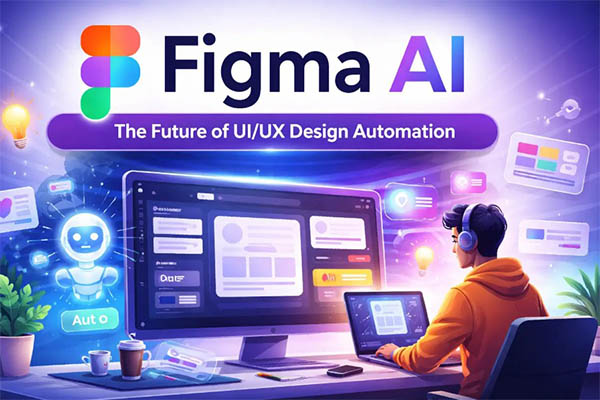
Figma remains a major platform for UI and UX designers, and AI-powered features are making the design process increasingly efficient.
AI can help designers move faster during the early stages of interface development.
Useful Applications
AI-assisted UI design can support:
- Wireframe generation
- Content suggestions
- Design organization
- Prototype development
- Layout exploration
- Collaborative workflows
For digital product designers, the biggest advantage is speed. Instead of starting every project with a completely blank canvas, AI can help create an initial structure.
However, usability testing and human-centered design remain essential. A visually attractive interface generated quickly by AI does not automatically provide a good user experience.
Remove.bg: Best for Background Removal
Background removal is one of the most repetitive tasks in product photography and graphic design.
Remove.bg uses AI to automatically separate subjects from backgrounds.
This can be particularly useful for:
- E-commerce product images
- Profile photos
- Marketing graphics
- Social media designs
- Product catalogs
For simple images, AI background removal can save significant time.
However, difficult images involving hair, transparent objects, shadows, or complex edges may still require manual refinement.
Professional Tip
Always zoom into the final image and inspect:
- Hair edges
- Product boundaries
- Shadows
- Transparent areas
- Missing details
Automation is fast, but quality control is still necessary.
Runway: Best for AI Video and Motion Graphics
Creative professionals are increasingly expected to work with both static and moving content.
Runway provides AI-powered tools for video creation, editing, and visual experimentation.
It can assist with:
- AI video generation
- Background removal
- Motion effects
- Object removal
- Video transformations
- Creative visual effects
This makes it particularly interesting for:
- Motion designers
- Video editors
- Content creators
- Advertising agencies
- Social media professionals
A graphic designer who previously focused only on static images can use AI video tools to expand into short-form video content without mastering every traditional animation technique first.
Leonardo AI: Best for Custom Visual Assets
Leonardo AI is popular among designers and digital artists who want greater control over AI-generated artwork.
It can be useful for generating:
- Digital illustrations
- Game assets
- Concept art
- Product visuals
- Character designs
- Marketing imagery
The platform can be especially valuable during creative exploration because designers can test different styles and directions quickly.
Practical Workflow
A designer creating a fantasy book cover might:
- Generate several concept images.
- Select the strongest composition.
- Edit the image manually.
- Add professional typography.
- Adjust colors for print requirements.
- Create final marketing variations.
The AI generates possibilities, while the designer transforms those possibilities into a finished product.
Top AI Tools for Graphic Designers: Quick Comparison
| AI Tool | Best For | Ideal Users |
| Adobe Firefly | Professional image editing | Designers and agencies |
| Canva Magic Studio | Fast content creation | Marketers and beginners |
| Midjourney | Creative image generation | Artists and concept designers |
| ChatGPT | Creative brainstorming | All creative professionals |
| Figma AI | UI and UX workflows | Product designers |
| Remove.bg | Background removal | E-commerce and photographers |
| Runway | AI video creation | Motion designers |
| Leonardo AI | Custom artwork | Digital artists |
The best AI design software depends on your workflow rather than popularity alone.
How to Choose the Right AI Tool for Your Creative Workflow
Before subscribing to multiple AI platforms, identify your biggest workflow problem.
Ask yourself:
- Do I spend too much time editing images?
- Do I need help generating creative concepts?
- Do I create social media content frequently?
- Do I work with UI and UX projects?
- Do I need AI-generated illustrations?
- Do I want to create videos or animations?
Choose Based on Your Main Need
For photo editing: Adobe Firefly and AI-powered Photoshop tools.
For quick marketing designs: Canva Magic Studio.
For concept artwork: Midjourney or Leonardo AI.
For creative brainstorming: ChatGPT.
For UI and UX design: Figma AI.
For video content: Runway.
The best approach is usually to build a small AI toolkit instead of trying to use every available platform.
Best Practices for Using AI in Graphic Design
AI can improve productivity, but poor usage can result in generic and low-quality work.
Follow these best practices.
1. Use AI for Repetitive Tasks
Let AI handle time-consuming processes such as:
- Background removal
- Image resizing
- Object cleanup
- Initial brainstorming
- Multiple design variations
Save your creative energy for important decisions.
2. Maintain Brand Consistency
AI-generated designs can vary significantly.
Create clear brand guidelines covering:
- Typography
- Colors
- Image style
- Tone
- Layout principles
This ensures that AI-assisted work still feels consistent.
3. Always Review AI Output
Never assume an AI-generated result is perfect.
Check for:
- Incorrect details
- Poor composition
- Unnatural elements
- Spelling mistakes
- Brand inconsistencies
4. Protect Client Information
Be careful when uploading confidential client materials to third-party AI platforms.
Avoid uploading:
- Private documents
- Customer information
- Unreleased campaigns
- Sensitive brand assets
Always understand the privacy policies and usage terms of the tools you use.
Common Mistakes Graphic Designers Make With AI
Using AI Without a Clear Goal
Randomly generating hundreds of images can waste time.
Start with a clear creative brief and objective.
Copying AI Output Directly
AI output often requires refinement. Using raw generated visuals without editing can make work look generic.
Ignoring Copyright and Licensing
Always review the commercial usage rights of AI-generated content, especially for client projects.
Overusing AI Effects
Just because an AI tool can create something unusual does not mean it fits the project.
Good design prioritizes communication over novelty.
Neglecting Core Design Skills
AI cannot replace fundamental knowledge of:
- Typography
- Composition
- Color theory
- Branding
- Visual hierarchy
- User experience
The strongest designers will combine traditional expertise with modern AI tools.
The Future of AI in Graphic Design
AI will likely become increasingly integrated into everyday creative software.
Instead of switching between separate AI platforms, designers will increasingly use intelligent features directly inside tools they already know.
Future AI design workflows may include:
- Real-time design suggestions
- Personalized creative assistants
- Automated brand asset generation
- Faster 3D visualization
- Advanced video generation
- AI-powered collaboration
However, the role of the designer remains important.
AI can generate options, but it does not understand a client’s business strategy, emotional context, cultural nuances, or creative intention in the same way a skilled professional can.
The future belongs to designers who learn how to direct AI effectively while continuing to develop their human creativity.
Frequently Asked Questions
What are the best AI tools for graphic designers?
Some of the best AI tools for graphic designers include Adobe Firefly, Canva Magic Studio, Midjourney, ChatGPT, Figma AI, Runway, Remove.bg, and Leonardo AI. The best choice depends on whether you need help with image editing, concept generation, UI design, video production, or creative brainstorming.
Can AI replace graphic designers?
AI is unlikely to completely replace skilled graphic designers. AI can automate repetitive tasks and generate visual ideas, but human designers provide creative strategy, emotional understanding, brand awareness, and professional judgment.
Which AI tool is best for beginners?
Canva is one of the easiest AI-powered design platforms for beginners because it combines templates, simple editing tools, and AI features in one accessible interface.
What is the best AI tool for generating design ideas?
ChatGPT is useful for brainstorming creative concepts and developing briefs, while Midjourney and Leonardo AI are useful for visually exploring creative ideas.
Are AI-generated images suitable for commercial projects?
They can be, but designers should carefully review the licensing terms, commercial usage policies, and potential legal considerations of the specific AI platform being used.
How can graphic designers use AI without losing creativity?
Use AI to automate repetitive work and explore ideas quickly, but keep important creative decisions under human control. Your understanding of composition, storytelling, branding, and audience psychology should guide the final result.
Should professional designers learn AI tools?
Yes. AI tools are becoming increasingly important in creative workflows. Learning how to use them effectively can improve productivity and help designers remain competitive, but they should complement rather than replace core design skills.
Conclusion
The best AI tools for graphic designers and creative professionals are not necessarily the ones that generate the most impressive images. The most valuable tools are those that genuinely improve your workflow.
Adobe Firefly can streamline professional image editing, Canva can accelerate everyday content creation, Midjourney and Leonardo AI can inspire visual concepts, ChatGPT can support creative thinking, and Runway can expand your capabilities into video and motion design.
The smartest approach is to experiment with a few tools and identify where AI saves you the most time.
Remember that AI can generate possibilities, but great design still requires human judgment. Understanding your audience, communicating ideas clearly, maintaining brand consistency, and making thoughtful creative decisions remain essential skills.
At Imagenish, we believe technology should empower creativity rather than replace it. Explore new AI tools, experiment with smarter workflows, and use technology to spend less time on repetitive tasks and more time creating work that truly stands out.